The VidMate YouTube Shorts downloader saves Shorts as vertical HD MP4 files with sound, or as MP3. Copy the link from the Shorts player, paste it above and press Download. It’s the quickest way to download YouTube Shorts on Android, iPhone and PC, with no app or login.
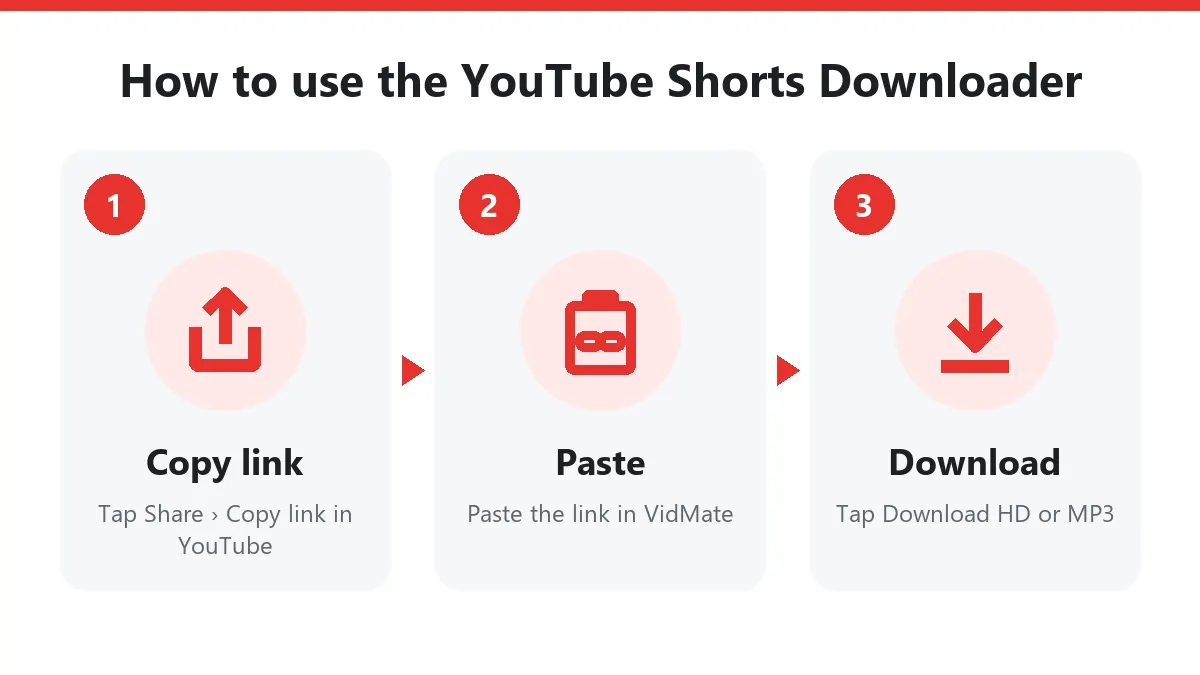
Quick answer: in Shorts tap Share › Copy link → paste above → Download → Download HD.
How to download YouTube Shorts
- Open the Short in the YouTube app.
- Tap Share (the arrow on the right) and then Copy link.
- Open this YouTube Shorts downloader in Chrome or Safari and paste the link.
- Tap Download, then Download HD for the full vertical video.
- Android saves to Files › Downloads and the gallery. On iPhone, open Files › Downloads, tap the video, then Share › Save Video.
On a computer, open the Short on youtube.com (the address contains /shorts/), copy the address bar and paste it here.
What you get from the Shorts downloader
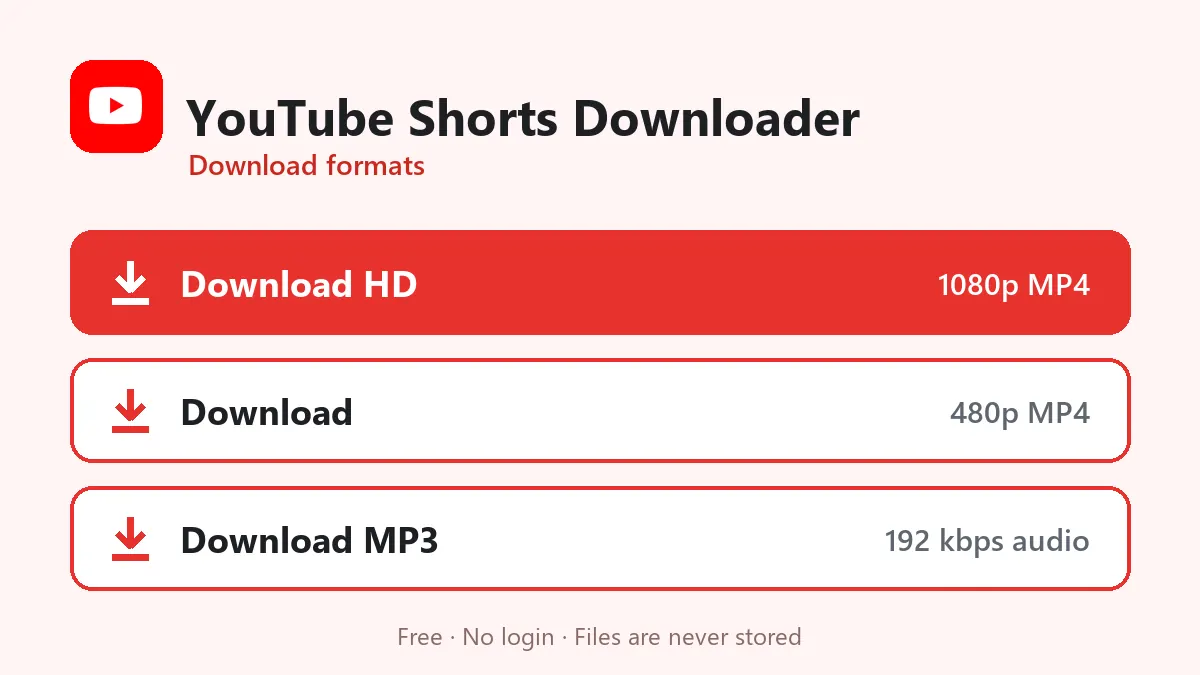
| Button | File | Typical 30-second Short |
|---|---|---|
| Download HD | Vertical MP4, up to 1080×1920, H.264 + AAC | 5–12 MB |
| Download | Smaller vertical MP4 (about 480p wide) | 1–3 MB |
| Download MP3 | Sound only, 192 kbps | about 0.7 MB |
YouTube stores Shorts like other videos, as separate picture and sound streams. The YouTube Shorts downloader merges them into one MP4 without re-encoding, so the file looks exactly like the Short and always has sound.
YouTube Shorts to MP4 for reposting your own content
Creators often post the same clip as a Short, a Reel and a TikTok. If you made the Short, YouTube Shorts to MP4 gives you a clean copy without any watermark, in the same vertical 9:16 frame Instagram and TikTok use. No cropping, no black bars.
Links that work
youtube.com/shorts/VIDEO_IDyoutu.be/VIDEO_ID?si=…(copied from the app’s Share menu)m.youtube.com/shorts/VIDEO_ID
Each Short is downloaded on its own; channel pages and the Shorts feed aren’t supported. Normal horizontal videos work too; for those, see YouTube to MP4.
Save YouTube Shorts audio as MP3
Many Shorts are built around a song, a dua, a funny line or a short lesson. Download MP3 saves just that sound. It’s useful for ringtones, WhatsApp status audio or listening offline.
Shorts downloader problems
| Message | Reason | Fix |
|---|---|---|
| “Private or needs a login” | Private, age-restricted or members-only Short | Only public Shorts work |
| “This video isn’t available” | Removed or blocked in some countries | Try another Short |
| “Paste one YouTube video” | Channel or feed link | Copy the link of a single Short |
| Buttons expired | 10-minute limit | Paste the Shorts link again |
Fair use of Shorts
Download your own Shorts, or Shorts the creator allows you to keep. Don’t repost other people’s Shorts as your own; credit and link the original channel when you share.
Frequently asked questions
Is this YouTube Shorts downloader free?
Yes. No account, no app and no daily limit.
What quality are downloaded Shorts?
The original vertical size, usually 1080×1920 for recent Shorts, as an MP4 with sound.
How do I copy a YouTube Shorts link?
In the Shorts player tap Share (the arrow), then Copy link. You get a youtube.com/shorts/ or youtu.be link; both work.
Can I save the music from a Short?
Yes. Download MP3 keeps only the soundtrack at 192 kbps.
Does the downloaded Short have a watermark?
No. YouTube doesn't stamp Shorts, and VidMate adds nothing.
Can I download all Shorts from a channel?
No. Paste one Short at a time.