The VidMate Instagram video downloader saves any public Instagram video to your phone or computer: Reels, feed videos and the video slides of a post. Paste the Instagram link above, press Download and pick HD with sound, a smaller copy, or MP3. It’s a free Instagram video download tool that works in the browser on Android, iPhone and PC, with no login and no app.
Quick answer: in Instagram tap ⋯ or the paper plane › Copy link → paste above → Download → Download HD.
What this Instagram video downloader can save
| Instagram content | Link looks like | Supported |
|---|---|---|
| Reel | instagram.com/reel/C9xY… | Yes, up to 1080p with sound |
| Feed video post | instagram.com/p/C9xY… | Yes |
| Video inside a carousel | instagram.com/p/… | Yes, the first video |
| Former IGTV / long video | instagram.com/tv/… or /reel/… | Yes |
| Video with ?igsh= tracking | instagram.com/reel/…?igsh=… | Yes, the extra part is ignored |
| Story or Highlight | instagram.com/stories/… | No, needs a login |
| Private account | any | No |
Download Instagram videos in three steps
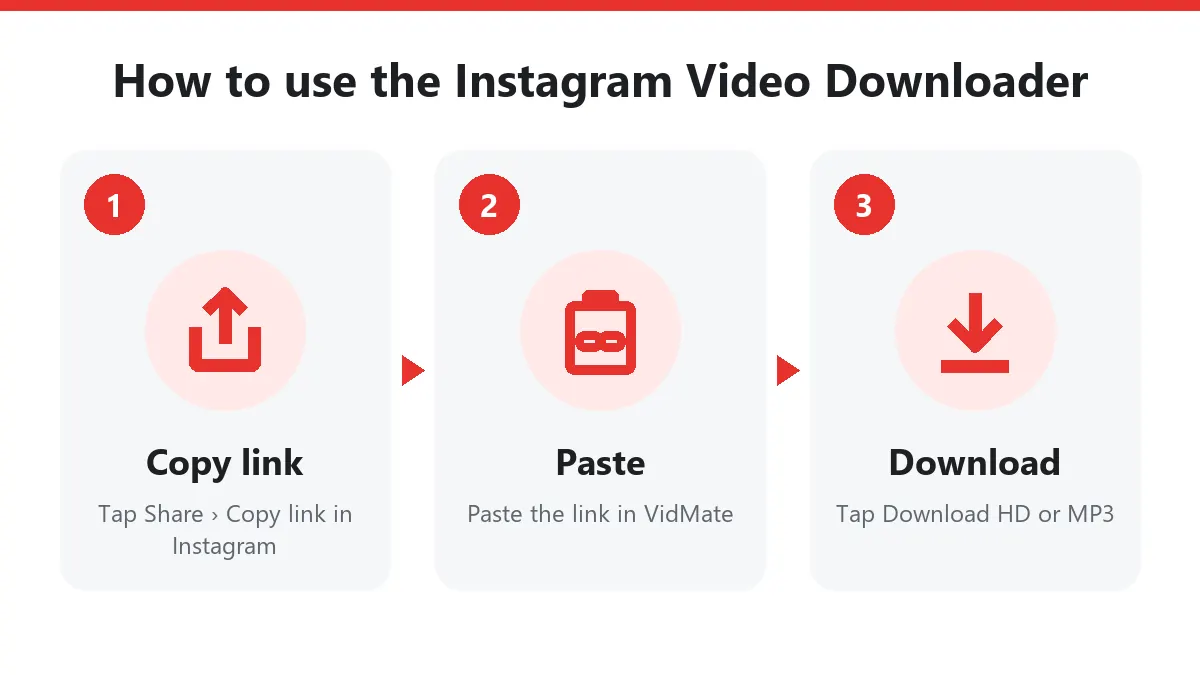
- Copy the link. On a Reel tap the paper plane, then Copy link. On a feed post tap ⋯ (top right) and Copy link.
- Paste it here. Open this Instagram video downloader in Chrome or Safari and paste the link into the box.
- Save the file. Tap Download HD for the best quality, Download for a lighter file, or Download MP3 for the sound only.
Where does the video go? On Android, Files › Downloads and your gallery. On iPhone, Files › Downloads; tap the video and choose Share › Save Video to add it to Photos. On a PC, your browser’s Downloads folder.
Why Instagram video downloads are often silent elsewhere
Instagram uses DASH streaming. Every video is stored as one video-only stream and one audio-only stream that the app plays together. Basic tools grab only the picture, so the file has no sound. This Instagram video downloader fetches both streams and merges them into one normal MP4 without re-encoding. The quality stays exactly as Instagram stores it, and the sound is always there.
Quality and file size
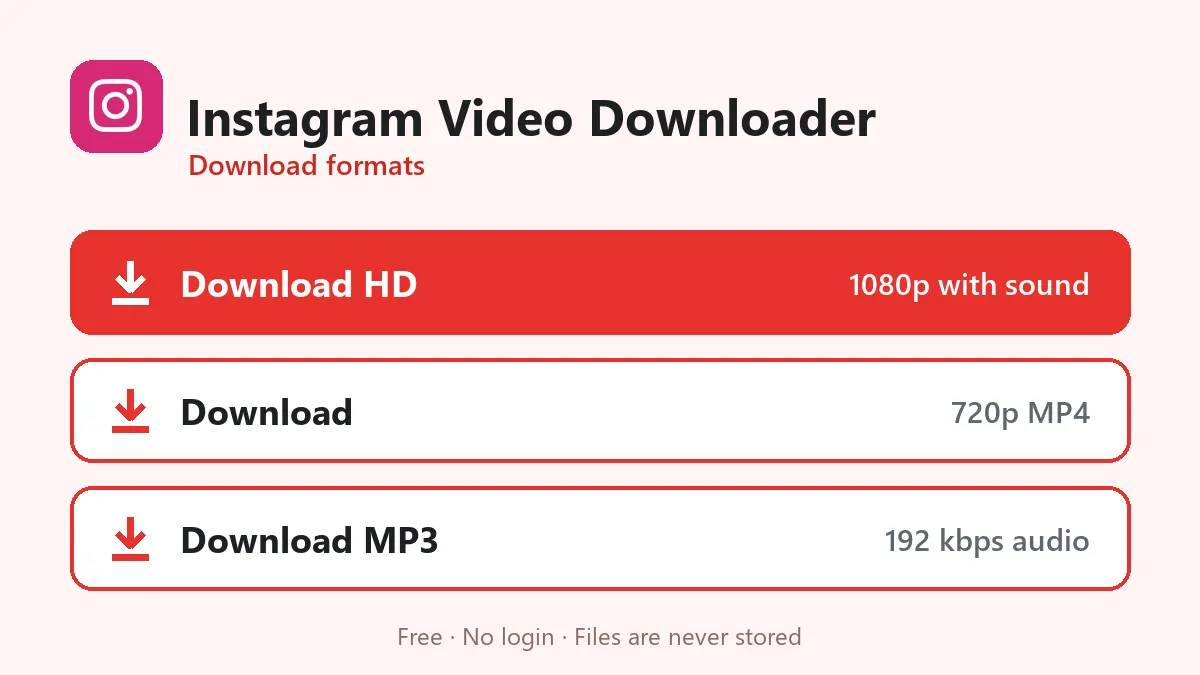
| Button | What you get | 30-second Reel |
|---|---|---|
| Download HD | Up to 1080×1920 MP4, video and sound merged | 4–8 MB |
| Download | Smaller MP4, usually 720p or 540p | 2–4 MB |
| Download MP3 | Audio only, 192 kbps | about 0.7 MB |
Older posts and videos uploaded from low-end phones may only exist in 720p or less. The downloader never upscales, so what you get is the real original.
Save Instagram videos on any device
- Android: Chrome works best. You can also install VidMate as an app from the VidMate APK page and paste links there.
- iPhone and iPad: Safari saves to Files first. The Save Video step moves the video to Photos so it shows up in your camera roll.
- Windows and Mac: open the post on instagram.com, copy the address bar and paste it here. If Instagram shows a login pop-up, close it; the link still works.
Instagram video to MP3
Heard a song, a recitation or a speech in an Instagram video? Download MP3 keeps only the soundtrack at 192 kbps, ready for any music player. It contains exactly what plays in the video, including any voice-over.
Instagram Reels vs Instagram videos
Instagram now calls almost every new video a Reel, but older feed videos, carousel videos and long videos still have /p/ or /tv/ links. This page handles all of them. If you mainly save Reels, the Instagram Reels downloader page has Reel-specific tips.
When an Instagram link doesn’t work
| Message | Reason | What to do |
|---|---|---|
| Private or needs a login | Private account, Story or Highlight | Only public posts can be saved |
| No video found | The post contains only photos | Pick a post with a video |
| Too many requests | Instagram slowed our server | Wait a minute and try again |
| Different platform | You pasted a TikTok or Facebook link | Use the link in the message |
| Buttons stopped working | Links expire after 10 minutes | Paste the Instagram link again |
Use Instagram downloads fairly
Download your own videos as a backup, save tutorials and recipes to watch offline, or keep videos a creator lets you reuse. Reposting someone else’s video without permission breaks Instagram’s rules; always credit the creator.
Frequently asked questions
Is this Instagram video downloader free?
Yes. It is free, needs no Instagram login and has no daily limit.
Can I download Instagram videos from posts, not only Reels?
Yes. The Instagram video downloader accepts post links (/p/), Reel links (/reel/) and links copied from the Reels tab, as long as the account is public.
Do downloaded Instagram videos keep the sound?
Yes. Instagram stores picture and sound separately; the downloader joins them into one MP4, so every video plays with audio.
What quality are Instagram videos?
Usually 1080×1920 for Reels and up to 1080p for feed videos. You always get the largest version Instagram keeps.
Can I download Instagram Stories or Highlights?
No. Stories and Highlights need a logged-in account, and this tool never asks for yours.
How do I download Instagram videos on iPhone?
Copy the link in Instagram, paste it here in Safari, tap Download HD, then open Files › Downloads and choose Share › Save Video.
Does the account owner get notified?
No. Instagram doesn't notify anyone when a video is downloaded from a public link.